Wednesday, April 25, 2012

6th and 7th Grade, Planner Cover Design

Design a cover for next year's planner!

The winning design will appear on hundreds of student planners!


Thursday, April 19, 2012

6th Media Arts, Copyright worksheet

Go to this link and answer the questions on your worksheet: Cyberbee
Go to this link and take the quiz: Copyright Kids
Try some of these games: Media Awareness Games

If you have extra time, go through the Webonauts training here


8th Media Arts, Illustrator practice


Before we begin working in Adobe Illustrator, it is important that you learn some basic tool functions. Follow along on your worksheet to create this picture:


7th Cyberbullying and Digital Citizenship


Cyberbullying and Digital Citizenship

2. Go to MTV's A Thin Line and answer the questions on your worksheets
3. Watch "Lets Fight it Together." Answer the questions on your worksheet.
4. Look at this example "friendbook" profile and answer the questions on your worksheet.
5. Take the Cyberbullying Quiz
6. Explore some of the resources below


Links to Resources:
NSTeens (Great videos on digital citizenship issues and "real stories")
Digizen (UK)
THINKUKNOW (divided by age)

Sunday, April 15, 2012

7th Media Arts, Design a Magazine Cover

1. Research
Research Magazine Covers
Pick one magazine and answer the questions on your worksheet

2. Vocabulary
you can use your dictionary application

3. Sketch your own original magazine cover


4. Start designing in Photoshop

8th Food Packaging Design


Vocabulary
1. Use the dictionary application to look up the following words: brand, slogan, UPC, FDA, consumer.

2. Examples of Slogans

3. Decide on your customer or consumer.


4. Food Advertising Strategies

5. Package Design Examples and Inspiration

  1. Packaging of the World
  2. Inspiration Feed
  3. Great Packagin Design
  4. Lovely Package
  5. Google Image Search, Best packaging
6. Brainstorm/Plan/Sketch
7. Follow the directions on your worksheet. 8. You must include a Brand name, Description or  Slogan, Ingredients, Nutritional information, Barcode. You may include a picture of the product or illustrations.
9. Design using Adobe Illustrator. Demonstration

Videos:

Thursday, March 22, 2012

Painting and Drawing, Doodle Drawing


  • Watch the video here
  • Use marker
  • Draw a curvy line in black. Cover the page.
  • Fill in each section with colors, doodles, animals, monsters, words, whatever!

7th Media Arts, Prezi Presentation


  • Vocabulary (use dictionary application)
  • Planning
1. Go to Google Maps and look through this list of major cities of the world. Pick a city from a foreign country.

2. Use Google image search and save a map of your country, showing your city
3. Look up the weather for each season. Google your city and "average weather" or try World Climate
4. Look up your city's history
5. Google arts and culture questions
6. Look up major attractions in your city
7. Find the average flight cost. Try google, or the travel sites KAYAK or Priceline.com
8. Find an average hotel cost

9. Now save pictures for your presentation to your folder
10. Use prezi.com to design your presentation. The log in information is on your worksheet.

Monday, March 19, 2012

8th Self Portrait Photography

1. Complete the photography worksheets using these two links:

2. Check out cameras. Follow Ms. Fowler's directions on setting up your camera.

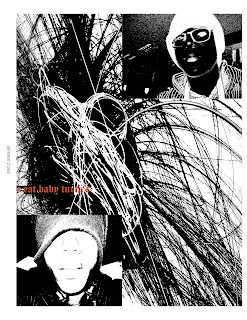
3. Take 20 to 30 pictures that show who you are. Try close-ups, blurry or out of focus shots, different expressions, different angles, poses, disguises, objects, etc. 

4. Import pictures to your computer.


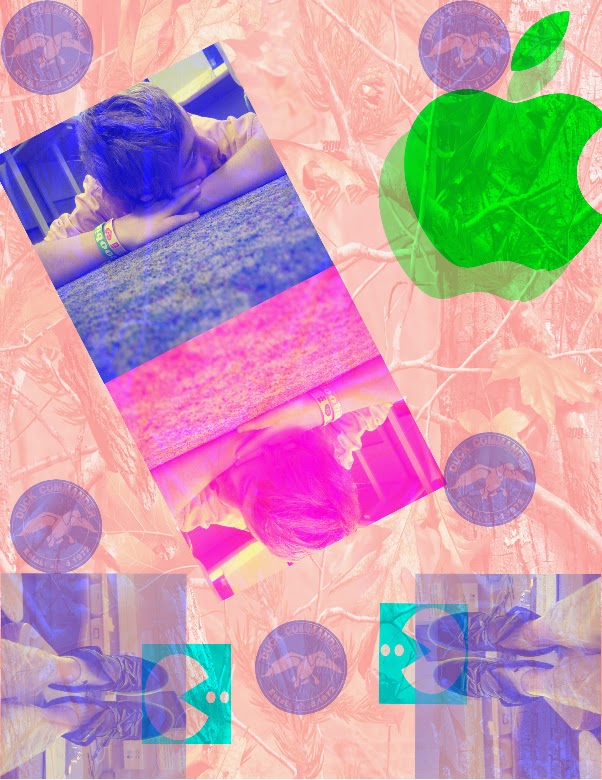
5. Create a collage designs of your photos using Photoshop. You can cut your pictures up, add words, repeat things, change the color, use filters, adjust the transparency, etc. The size should be "U.S. Paper" or 8.5 inches wide by 11 inches tall. 300ppi.

6. Save your collage to the HAND IN FINAL WORK folder as "YourLastNameCollage".


Friday, March 9, 2012

8th Media Arts, GarageBand


1. Complete the Research and Planning worksheet
2. Choose a found video to compose music for. It must be 1:30 minutes or longer.

Thursday, March 8, 2012

Doodle for Google

Try the Doodle for Google contest. Draw on paper, or on the computer!

6th Grade Digital Art: Digital Comics

You will turn one of your original cartoon character designs into a Digital Comic strip. Think of a simple and short story idea, then sketch it into a storyboard. We will make each frame in Adobe Illustrator, then put them together using iMovie. You can add talking or sound effects at the end.


Tuesday, March 6, 2012

7th Digital Art: Pattern Design


Research

Try the two activities linked from caarts.blogspot.com
  1. Symmetry Activity
  2. Organic and Geometric Shapes
  3. Patterns 
Now lets look at some examples of print and pattern designs. Go to: Print and Pattern. Look through all of the examples (you can also go through the archives). Pick 3 and describe them. 


Follow the directions on your worksheets to design 3 different patterns and apply them to 3 different items. Have fun!

Tuesday, February 14, 2012

6th Media Arts, Cartoons and Digital Comic strips

For this project you will design cartoon characters, then choose one to make into a digital comic strip.

1. Research and Vocabulary
 
2. Brainstorm characters
    and cartoons. Draw a different design in each box of your brainstorming worksheet.

3. Try these online games
    Comic Creator
     Flipbook
     Domo Animate

4. Illustrator Tools practice

5. Design your frames


6. Create your movie


Videos:
Laylah Ali

How to create cartoon characters


Painting and Drawing: Observation in Art


  1. Warm Up: Picasso line drawing
  2. Presentation on "Observation in Art" take notes
  3. Try contour line drawings
  4. Choose your animal photo from Morguefile.com
  5. Left brain/right brain games

6. Practice finding shapes in an animal
7. Practice drawing your animal
8. Create a value scale
9. Draw your animal. Start by lightly drawing shapes. Use all of the values. Cover your paper with detail.

Monday, February 13, 2012

Monday, February 6, 2012

6th Media Arts, Typographic Self-Portraits


Friday, February 3, 2012

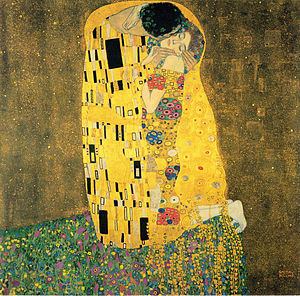
8th Digital Art, Klimt-inspired Portrait


1. Watch a slide show of past student work.

2. Read about Gustav Klimt and answer the questions on your worksheet.

3. Go to Art Lex and search "Art Nouveau." Read and look through examples. Then use the dictionary to complete the Vocabulary section.

4. Start your design. Watch the demonstrations and follow the directions on your worksheet.