Thursday, September 21, 2017

7th Nature Photography

Gissel I., 6th grade

Research

1. Research Worksheet (green):

Videos:
History of Photography Video
Taking Pictures, animated short
History of Photography in 5 minutes
A Brief History of the Camera
Nature's Best Photography
The Art of Portrait Photography (Off Book)
Documentary Photography (KQED)

Article: Why do photographs have so much meaning?
Ansel Adams Article.  Photography
  1. Camera Contract-read and sign
  2. Camera Settings
Step 1: Take Photos

Take photos of nature using your Nature Scavenger Hunt checklist.

Keep in mind the camera settings, focus, and the framing tips we talked about ahead of taking our photos.

Step 2: Create a slideshow in iMovie
Upload your photos to your computer. Edit down to your best 10. Create a slideshow using iMovie.
Your slideshow should include:
·      Title
·      Music or sound
·      Credits.
·      Optional: Effects, transitions and captions

Student Slideshows
iMovie Guide


Step 3: Write an artist statement (slideshow).
Step 4: Critique (slideshow)
Step 5: Design a Nature Quote Poster

Pick a nature quote, saying or poem that is meaningful to you, not too long, and you must include the author. Look at the links on the blog.
Find a quote here: BrainyQuote. Buzzfeed Nature Quote. GoodReads Nature. Make sure you attribute the author!
Use Canva.com to design

Step 6: Create an Animated Photo GIF

4. Design and create an Animated GIF in Photoshop

Tuesday, September 12, 2017

Computer Procedures

1. cagallery.blogspot.com

3. Saving and Naming Practice

Vocabulary


Media Arts Intro Quiz

  1. Go to socrative.com
  2. enter room ca157
  3. click "join room"

5. Writing Practice: How to be a Critical Viewer

Go to this link. Choose one cigarette advertisement and answer the questions on the screen. When you are finished, sign up on the board so Ms. Fowler can check it.

Try it:

Try these Media Arts activities: Media Studio

Tuesday, August 29, 2017

Ms. Fowler, Media Arts


Julie Fowler - Created with Haiku Deck, presentation software that inspires;

Monday, May 22, 2017

7th Media Arts: Architecture


During this project you will be learning about Architecture and designing a building for a city. First we will look at some of the greatest buildings in history. 

1. GREAT BUILDINGS
Go to: Great Buildings. Look through the buildings and choose one you are interested in learning more about. Answer the questions on your worksheet.

2. Vocabulary Go to the Curbed and write the definitions to the words on your worksheet.

Videos:
  1. Basic Structures of Architecture
  2. The ABCs of Architects
  3. 100 Most Famous Buildings
  4. Amazing Architecture
  5. ARchitectural Failures
  6. 25 Most Unusual Buildings

3. Use Google Sketch-Up to design a building for a city. Each student in the class will design a different building, and together we will create a city using Google Sketch up. First, do some research using the internet. Ms. Fowler will assign you a random building.  Go to Types of Buildings. Answer the questions on your worksheet.

Getting Started with Google Sketch Up (Tutorial)

*  If you have extra time, go to:
Floor Planner
 City Creator  or
Home Styler

Wednesday, May 10, 2017

ALL Media Arts Students

Please complete the Student Survey found here


6th Media Arts: Monster Sightings

Research:

Complete Photography Worksheet
1. 10 Tips for Taking Good Photos
2. 10 Techniques for better Photos

Design

  1. Brainstorm monsters. Here are some links to help inspire you:   Lots of monsters.    More Monsters
  2. Make a monster
  3. Photograph monsters in the wild! You must photograph your monster in a minimum of 5 different scenes.
  4. Upload and edit your photos. Use pixlr.com to add filters and effects quickly.
  5. Make a slideshow using iMovie. Add captions and music.

Extra Time:

Friday, April 28, 2017

7th Media Arts: Nature Photography Animated GIF

Gissel I., 6th grade
The Project: Learn the basics of digital photography. Go on a Nature Photography Scavenger Hunt. Create a slideshow of your photos, with music. Choose one photo and create an animated GIF.

1. Research Worksheet (Blue):

History of Photography Video
  1. Camera Contract-read and sign
  2. Camera Settings

Extra time: Be a Wildlife Photographer Game

2. Nature Photo Scavenger Hunt

3. Create a Slideshow in iMovie

4. Design and create an Animated GIF in Photoshop

use pixlr.com for filters and effects.

What animal should we adopt/sponsor?


Information on African Penguins
Penguins at Como Zoo

Tuesday, April 11, 2017

7th Media Arts: Print, pattern and Fashion Design

Vocabulary
Go to this website: Artlandia, to find the definitions to the following words: symmetry, geometric, organic, pattern, ornate, textile, client, mass market.
Research
Try the two activities linked from caarts.blogspot.com
  1. Symmetry Activity
  2. Symmetry Activity 2
  3. Symmetry Activity 3
  4. Paternico
  5. Practice making some patterns
Now lets look at some examples of print and pattern designs:
- The Pattern Library
- Print and Pattern
- Print All Over Me
- Pattern Designs
Sketch your ideas
Draw 9 designs that will be turned into repeating patterns

Design
Follow the directions on your worksheets to design 3 different patterns and apply them to 3 different items. 

Create a polyvore inspiration board for your client. Take a screenshot (Window key + Shift + 4) and turn in to the Fowler Classroom folder.


NEXT: Create an original fashion design! Ms. Fowler will give you directions
Haute Couture "high sewing"

EXTRA TIME ACTIVITIES:
Champion Hoodie Remix (design a hoodie)

Monday, March 27, 2017

6th Media Arts: You Are What You Eat!


Research and Planning Worksheet
*If you have extra time, try these nutrition games:
Videos
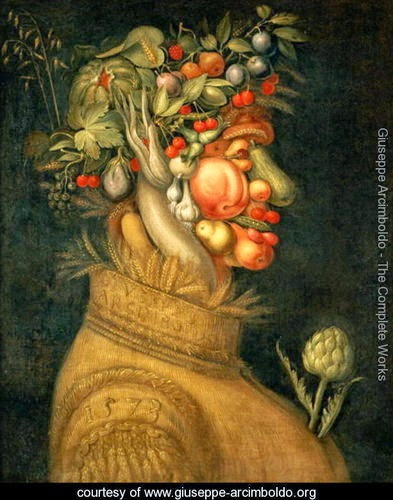
Art with Mati and Dada: Archimboldo
Garbage Selfies KQED

Extra Credit: create a "Super Crazy School Lunch"

Choose a theme for your lunch tray (for example: gross lunch, bear lunch, treasure lunch, zombie lunch, dream lunch, alien lunch, shark lunch, etc.).


Monday, February 27, 2017

7th Media Arts: T shirts with a Message

For this project you will be designing T-shirts with a message. You should address a social issue you feel strongly about and create a design that reflects your feelings. First complete the Research and Planning worksheets. 

Vocabulary
Go to dictionary.com and write the definitions to the following words. Make sure you are choosing the definition that relates to the project.

* social issue:A social issue is a problem that influences a considerable number of the individuals within a society.

 *communicate * persuade * protest * issue * propaganda

Research

1. Look at these Links as a class:

2. Look through the links on your own. Pick your favorite three designs and answer the questions on your worksheet.
Iconsforchange.com

NoGodsNoMasters T-shirts
Spreadshirt Activist Ts
AllRiot T-shirts


3. Now research a social issue that you would like to address. This link may help. Circle one of the subjects on your worksheet, or write in your own

4. Sketch 12 different designs.

5. Create a document to try some different fonts and text effects.
Tutorial video on basics of working with text
How to design a T-shirt in Illustrator (Adobe Tutorial)
Design a T-shirt in Illustrator (video)

6. Download symbols or pictograms here: TheNounProject.com
Ms. Fowler will give you log in name and password.

Choose one design to create in Adobe Illustrator. Show Ms. Fowler to "okay" before you begin on the computer.
Follow the design directions on your worksheet.


SaveSave
SaveSave

Thursday, February 16, 2017

6th Media Arts: Alphabet 100


Designers need to understand fonts, typography and lettering styles. Brainstorm 100 ways to illustrate the same letter. Choose one design that you will create on the computer.


Alphabet 100

Inspiration:
Daily Drop Cap
TheTypeFight


Wednesday, February 15, 2017

Feb 15, 2017


1. Go to: https://hourofcode.com/us/learn

2. Complete an activity appropriate for your grade and skill level.

3. Screenshot your certificate when you are done: Window key + shift + 4

4. Name it "your last name code" and copy to the hand in work folder.

5. Extra time:
Try Code Combat

Thursday, February 9, 2017

6th Media Arts: Typographic Self-Portraits

  1. Typography is the art of designing with letters or words
  2. Presentation- What are fonts? 
  3. Presentation- Typographic Design
  4. Take a look at last year's student projects
  5. VIDEOS: Movie "Typolution", An Intro to Typography, What is Typography? Text/textures
  6. Writing Assignment- Find and download a font that represents you. Write 3 sentences about why you chose it and how it represents you.
  7. Demonstration- creating and starting your project
    Typographic" means made of type or letters.
    This picture is all letters. Can you figure out
    which ones?
  • Work time