2. Choose a found video to compose music for. It must be 1:30 minutes or longer.
Thursday, May 1, 2014
Friday, April 25, 2014
7th Media Arts: You Are What You Eat
Research and Planning Worksheet
Go to FoodNMe.com and follow along on your worksheet
If you have extra time, try these nutrition games:
Or Explore Fit Teens, or Fit Kids
Tuesday, April 22, 2014
Painting and Drawing: Architecture paintings
Architecture Paintings1. Intro to Architecture. Presentation and take notes.
2. Research and sketch different facades
3. Watercolor background, then draw details with marker.
Try Architect Studio 3D if you have extra time.
Tuesday, April 15, 2014
Thursday, April 10, 2014
8th Digital Art: Blooming Heights Logo

Blooming Heights Logo
Blooming Heights is our district’s community garden. Students help to plant, maintain and cultivate the garden. You have been hired to create a logo for the garden. The chosen design will appear on printed materials like business cards, advertisements and mailings, it will also go on the blooming heights website and in digital promotions.
- Ms. Lohman, the garden director will present. Take notes.
- Logo Design Presentation
- Garden Logos
- The Noun Project (for symbols)
- Free fonts
Wednesday, March 26, 2014
7th Media Arts: Stop Motion Animation
Research
1. Try a practice animation:
2. Watch some stop-motion examples: Stop-motion Animations
The story of stopmotion
3. Find a cool stop-motion to share with the class. Try youtube stop motion animation, or Vimeo stop motion animation. or Google stop-motion animation.
Watch How to make a stop-motion
3. Find a cool stop-motion to share with the class. Try youtube stop motion animation, or Vimeo stop motion animation. or Google stop-motion animation.
Watch How to make a stop-motion
Planning
Watch How to make a stop-motionFill out planning portion
Draw your storyboard
Form groups of 3 or 4.
Person 1- Director: Oversees the filming and production. Follows the storyboard.
Person 2- Camera-person: Makes sure each shot is properly lit, in focus and steady.
Persons 3 (and 4)- Actors: Either act in the movie or control the set/characters/objects.
Create
1. Make your set, characters, lettering, and anything else you need.
2. Create a title sequence
3. Take pictures
4. Edit your photos in iMovie
2. Create a title sequence
3. Take pictures
4. Edit your photos in iMovie
Monday, March 24, 2014
8th Digital Arts: Food Packaging Design
Packaging Video
Designing in Illustrator
Go Here for Ingredients
1. Use the dictionary application to look up the following words: brand, slogan, UPC, FDA, consumer.
3. Decide on your customer or consumer.
5. Package Design Examples and Inspiration
- Packaging of the World
- Inspiration Feed
- Great Packagin Design
- Lovely Package
- Google Image Search, Best packaging
6. Brainstorm/Plan/Sketch
7. Follow the directions on your worksheet. 8. You must include a Brand name, Description or Slogan, Ingredients, Nutritional information, Barcode. You may include a picture of the product or illustrations.
9. Design using Adobe Illustrator. Demonstration
Videos:
Go Here for Ingredients
Friday, March 14, 2014
Painting and Drawing, Folk Art-inspired Zentangle Landscapes
- What is folk art?
- Go to the American Folk Art Museum website. Choose an artist. Answer the questions on the worksheet.
- Research folk art from your own culture. Choose one example and sketch it on your worksheet.
- Emilio Sosa Medina
- Oaxacan weavers
- Contemporary folk art of Oaxaca
- Video 1 (extra)
- What is a zentangle?
- Research Zentangle patterns
- Sketch 12 designs. Use care, be neat and precise.
- Start on your landscape design. Follow Ms. Fowler's demonstration.
Monday, March 10, 2014
Painting and Drawing: Artist Research
- Research: Use this link to research your chosen artist. Art 21. You can also Google search.
- Design: Use slid.es. Log in using your Google Account
- Your presentation must include: 1. title slide, 2. where is the artist from? where were they educated? 3. what is something their art is about? 4. what materials do they use? 5. examples of their art. There must be an image on every slide.
- Copy the "embed" code and email to Ms. Fowler (fowlerj@colheights.k12.mn.us)
Tuesday, March 4, 2014
7th Variety Show Flyers
- Choose a main font and download from dafont.com
- Install font on your computer
- Open the flyer template. Go to Fowler Classroom > Variety Show Flyer > and open the Template Variety Show Flyer (should automatically open in Photoshop)
- You can download and use any COPYRIGHT FREE images in your design
- You can create patterns or designs
- Use 2 or 3 fonts (no more) and 2 or 3 main colors. Repeat elements- don’t put a bunch of random stuff. Too much looks childish. Make something EYE-CATCHING. Think about contrast, scale and pattern. Use alignment.
- When you are finished, Save As “Yourlastname Variety” to Fowler Classroom > HAND IN WORK > Variety Show Flyer folder
- Make it eye-catching and fun!
Wednesday, February 19, 2014
Painting and Drawing: "Expressions" lettering design
“Expressions” poster
You will be designing posters for this year’s district art
show. The show is at SIlverwood park, and has a nature theme. One (or more)
chosen designs will be professionally printed and put up all over town! You
will learn about typography and lettering design to design your poster.
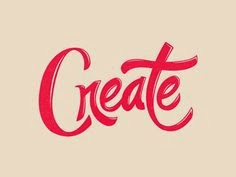
Draw the word "Expressions" using different
lettering styles
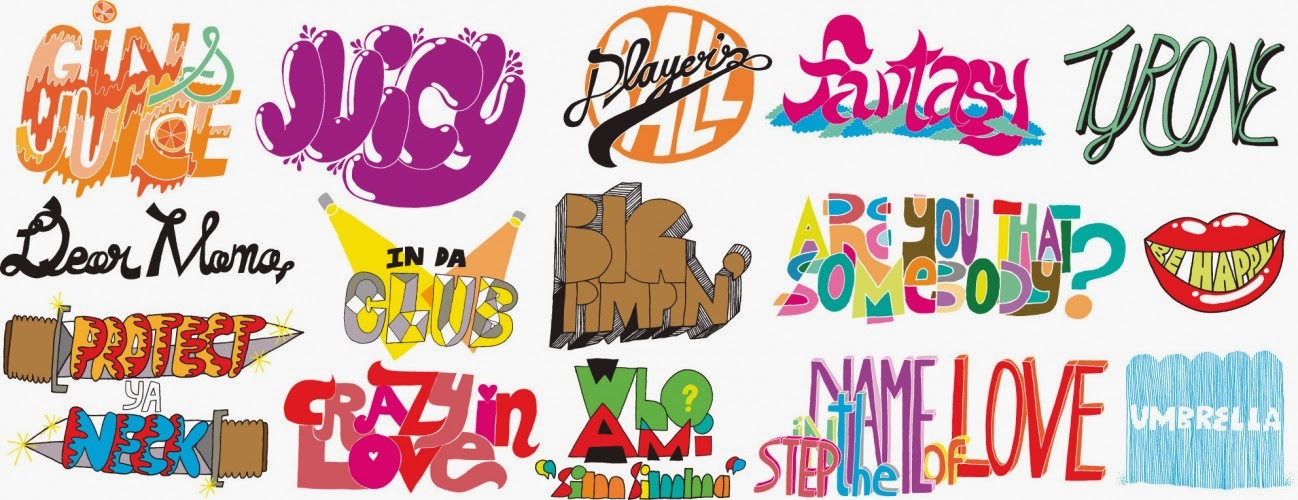
- Look at different fonts. Go to fontsquirrel.com, dafont.com or urbanfonts.com. Write down the names of two that you like on your worksheet.
- Look for images of hand-drawn typography using google image search and hand drawn posters
- You can print one page of letter styles to look at while you are designing if you want too.
- Look at the printed fonts from the examples Ms. Fowler gives you
- Do a practice drawing
- Lightly sketch on your final paper (fill the page)
- First we will paint with watercolor, then add colored pencil- make it bright and eye-catching! Blend colors!
Subscribe to:
Posts (Atom)


--1573.jpg)