Monday, November 27, 2017

Buttons and T-shirts for a Social Issue

For this project you will be designing T-shirts with a message. You should address a social issue you feel strongly about and create a design that reflects your feelings. First complete the Research and Planning worksheets. 

Vocabulary
Use the dictionary on your computer to look up the following words: social justice, *communicate * persuade * protest * issue * propaganda

Research

1. Look at these Links as a class:
2. Look through the links on your own. Pick your favorite three designs and answer the questions on your worksheet.
Iconsforchange.com

Makayla W.
NoGodsNoMasters T-shirts
Spreadshirt Activist Ts
AllRiot T-shirts


3. Now research a social issue that you would like to address. This link may help. Circle one of the subjects on your worksheet, or write in your own

4. Sketch 12 different designs.

5. Create a document to try some different fonts and text effects.
Tutorial video on basics of working with text
How to design a T-shirt in Illustrator (Adobe Tutorial)
Design a T-shirt in Illustrator (video)

6. Download symbols or pictograms here: TheNounProject.com
Use your school email and password.

Choose one design to create in Adobe Illustrator. Show Ms. Fowler to "okay" before you begin on the computer.
Follow the design directions on your worksheet.

Warm Ups
Video: Design of Dissent
Video: The Art of Protest
Video: Posters of Protest
Video: Graphic Design Fundamentals
Podcast: Protest Posters


8th Media Arts: Claymation

Research

Make a Stop-Motion with Kristen Lepore

Planning

Pick a partner

  1. Watch How to make a stop-motion
  2. Draw your storyboard. Your character(s) must transform and move. There will be no dialogue. There will be a music background or overdub. Keep your idea simple-the characters morphs into different shapes? Maybe your character(s) dances?
  3. Person 1- Director: Oversees the filming and production. Follows the storyboard. Person 2- Camera-person: Makes sure each shot is properly lit, in focus and steady. Both are in charge of editing the movie together.
Create

  1. Download some photo options for your green screen set at PEXELS or Pixabay. Or use Google image search but be sure your image is large.
  2. Create a title sequence, or other practice sequence.
  3. Make your characters, and anything else you need.
  4. Take pictures
  5. Edit your photos in iMovie
SaveSave

Monday, October 30, 2017

8th Media Arts: Into the Woods

8th graders have been hired to design "Into the Woods" T-shirts and Posters.
Chosen designs will be featured as the actual T-shirts and Posters for this year's CA musical.
video clips
trailer

From Ms. Lorence--
I’d like to stay away from a white or black t-shirt as that is what we have had in the past.

My overall vision for the production is dark woods for a background with bright colored costumes and a storybook feel (see attached images). Some main themes and or objects we see throughout the play are:

-          The dark woods
-          Cow as white as milk
-          Cape as red as blood
-          Slipper as pure as gold
-          Hair as yellow as corn
-          The phrase “I wish…” 
Hope this gives you a good start! Let me know if you have any questions.
Thanks! Ms. Lorence

1. Research and sketch ideas

Research "Into the Woods" Poster designs

2. Design

We will use Adobe Illustrator to create your designs. Follow the steps in your packet.

- Symbols at thenounproject.com. Log in using school Google.
- Background image: pexels   or   pixabay
- Add filters and effects to photos on pixlr.comhttps://pixlr.com/express/
- Fonts at dafont.com.  or   behance.    or.   https://www.1001freefonts.com  

T-shirt printer

Tuesday, October 24, 2017

6 Media Arts: You Are What You Eat!


Research and Planning Worksheet
*If you have extra time, try these nutrition games:
Videos
Art with Mati and Dada: Archimboldo
Garbage Selfies KQED

Extra Credit: create a "Super Crazy School Lunch"

Choose a theme for your lunch tray (for example: gross lunch, bear lunch, treasure lunch, zombie lunch, dream lunch, alien lunch, shark lunch, etc.).


7th Media Arts: Animation and Cartoon

The Animated History of Animation from MC on Vimeo.
This animated gif project relates to the animation projects we will try later in the semester.

1. Watch a video on the history of animation: The Animated History of Animation
3. Research GIF art and animated gifs
GIF Artists:
Kevin Weir
30 Best animated gif artists
Gif artists to know
Mr. Div
Stereoscopic GIFs

Gif pal examples: One, Two, Three, Four, Five
STUDENT examples: Look at these examples from last year

4. Create your own Animated GIF
You can make as many as you like. Be creative and original! Turn in your best gif(s) to the HAND IN WORK folder.

Create an Animated Pixel GIF

1. Draw your pixel art
2. Draw how it will move (animate)
Here is a link to PIXEL Art Ideas
3. Use this websites to make and animate your pixel. Piskelapp
4. Download and turn in to Fowler Classroom
5. Upload to Seesaw as a mp4 file

CARTOON Yourself:

This project will introduce you to some basic Photoshop tools and using mouse control. We will use Photoshop to trace a digital photo and show an expressive and emotive cartoon face.
Try it:
If you have extra time, try-
Flipbook Animate
Zimmer Twins Make a Movie
Art Pad
ABC Animate
FlipAn
Toonator
Mixamo
Voki


Wednesday, October 11, 2017

8th Media Arts: GarageBand Sound Design

Videos

1. What is a foley artist?
2. Foley artist CBS News
3. Vimeo, Portrait of a Sound Design artist. Youtube
4. Music Technology
Extra:Audio Engineer and Producer: Chris Monsanto

Research

1. Vocabulary
           public domain
2. Pick a famous music producer. Write a few sentences about them.
3. Read Jay Z article and answer questions.

Making your soundtrack- videos:
Air Music Video
Bon Iver, Hinnom, TX
Garageband Sample Track
Student Example Video
Jordan, 6 year old
Artists and bands who use garageband

Choose a video

1. Find the Materials folder in the Fowler Classroom folder with the "GarageBand CC videos" videos.
2. Or, if you have extra time, download a video from the Moving Image Archive
 * Download as a MP4 file or a Mpeg. Follow Ms. Fowler's directions to either loop it or edit it to make it between 1:30 and 2:00 minutes.

Garageband Help

Friday, September 22, 2017

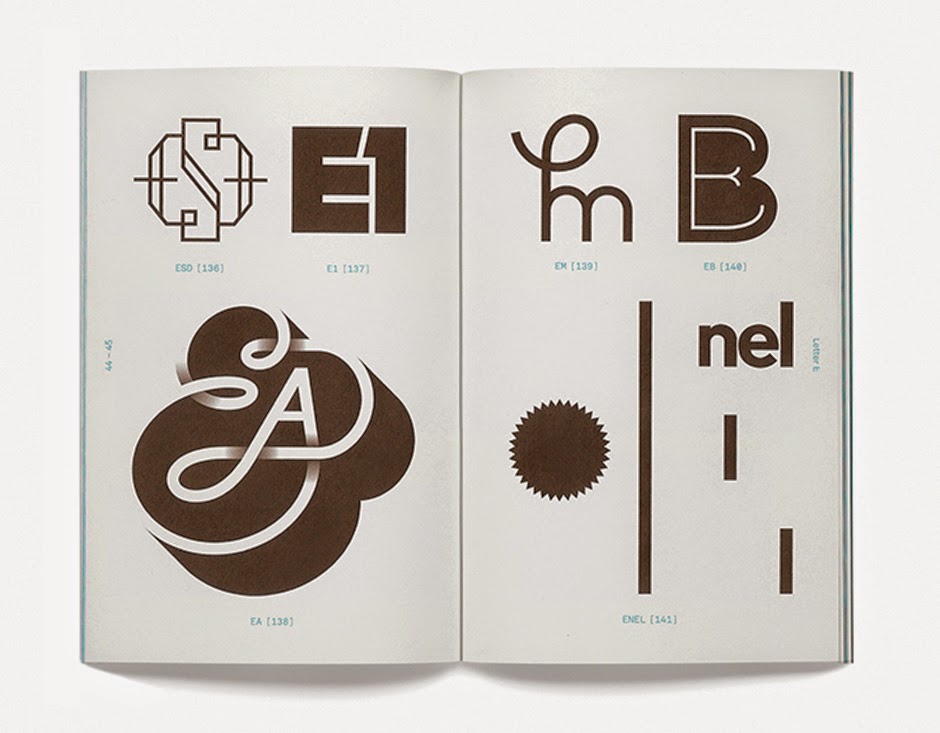
8th Media Arts: Monogram Logo Design

Research and Brainstorming:

1. Watch the presentation on logo design.

2. Look up vocabulary words: logo, monogram, vector graphic.

3. Look at the websites  and watch the videos below: Logo Lounge,    Simple Logo Designs,   Vintage Logos,   Logo Awards,  Logos 99

Videos: Draplin Logo Design
The Art of the Logo Design (PBS)
Hidden messages in logo designs (video)
Logo Animation
What makes a truly great logo?
Logo Design Process by Swerve
Monogram Logo Design, video 1
Article: Controversial Cleveland Indians Logo


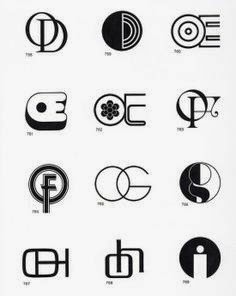
4. Look through the printed out logo designs on your tables

5. Fill your page with different monogram designs
and go through the folders with samples for some logo design inspiration

Create on the computer
Choose your final design. Use Adobe Illustrator to carefully design your logo. Use precise geometry. When your logo is final, try different color and layout variations on the billboard/cup/hat/shirt image below.

Student Examples

Extra time?
Try
Fontstruct
Shape type
Typing Games
Sky chase

Thursday, September 21, 2017

7th Nature Photography

Gissel I., 6th grade

Research

1. Research Worksheet (green):

Videos:
History of Photography Video
Taking Pictures, animated short
History of Photography in 5 minutes
A Brief History of the Camera
Nature's Best Photography
The Art of Portrait Photography (Off Book)
Documentary Photography (KQED)

Article: Why do photographs have so much meaning?
Ansel Adams Article.  Photography
  1. Camera Contract-read and sign
  2. Camera Settings
Step 1: Take Photos

Take photos of nature using your Nature Scavenger Hunt checklist.

Keep in mind the camera settings, focus, and the framing tips we talked about ahead of taking our photos.

Step 2: Create a slideshow in iMovie
Upload your photos to your computer. Edit down to your best 10. Create a slideshow using iMovie.
Your slideshow should include:
·      Title
·      Music or sound
·      Credits.
·      Optional: Effects, transitions and captions

Student Slideshows
iMovie Guide


Step 3: Write an artist statement (slideshow).
Step 4: Critique (slideshow)
Step 5: Design a Nature Quote Poster

Pick a nature quote, saying or poem that is meaningful to you, not too long, and you must include the author. Look at the links on the blog.
Find a quote here: BrainyQuote. Buzzfeed Nature Quote. GoodReads Nature. Make sure you attribute the author!
Use Canva.com to design

Step 6: Create an Animated Photo GIF

4. Design and create an Animated GIF in Photoshop